Why Most AI Headshots Look Fake (And How to Avoid It)
73% of recruiters can't tell AI headshots from real photos—yet many still look uncanny. Learn the 3 reasons AI portraits fail and how to get realistic results.
Portrait Pro Team
Image Studio
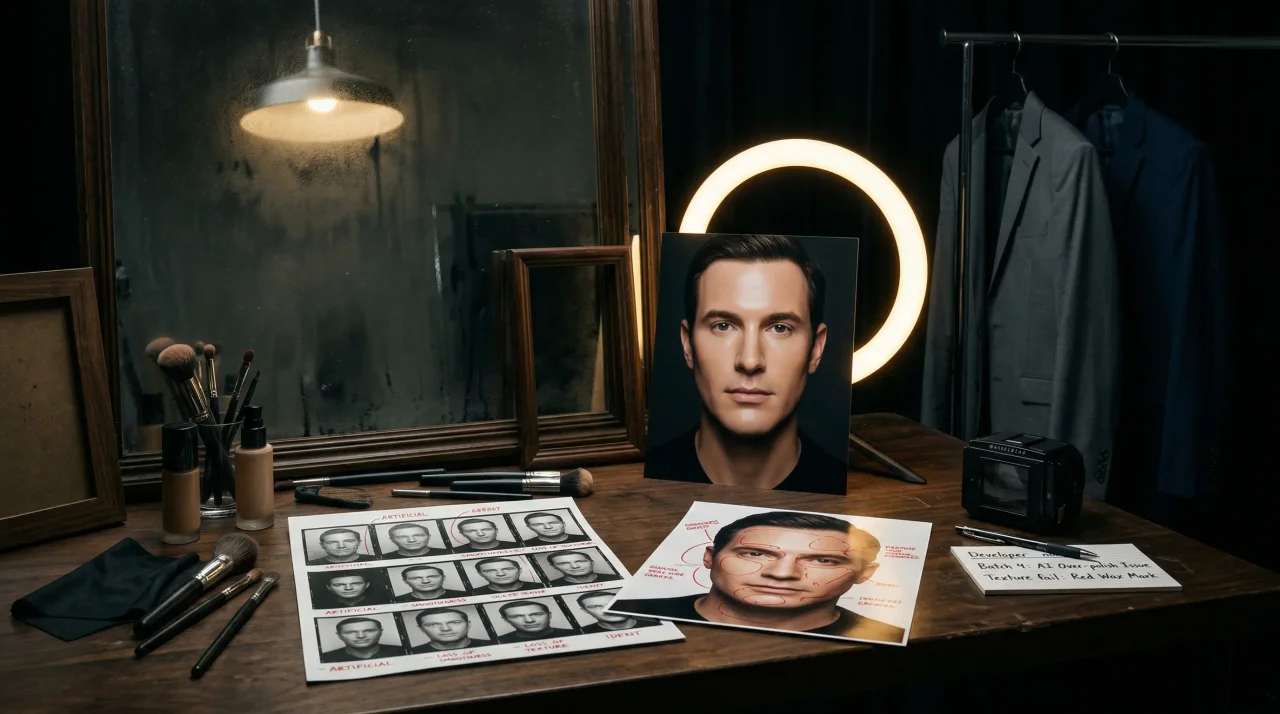
AI headshots look fake when the generator smooths away real skin texture, drifts from your actual face, or invents lighting that no camera would produce. The fix is not better prompts. It is a stricter realism workflow: better source photos, lighter retouching, and ruthless rejection of anything that fails the identity or lighting test.
That is the real paradox in 2026. A 2025 study found that 73% of recruiters couldn't distinguish AI headshots from professional photos when the quality was high, yet LinkedIn is still full of portraits with that telltale AI sheen. The models are capable. Most workflows are not.
If you want the big-picture overview first, start with our guide to AI headshots. If you already have outputs that feel uncanny, this is the faster diagnostic: find the failure mode, fix the input, and reject anything that still looks polished-but-wrong.
Quick verdict: AI headshots usually look fake for three reasons: over-smoothed skin, identity drift, and lighting that breaks real-world physics. If you want realistic AI headshots, prioritize texture, likeness, and believable light over "perfect" polish.
Use this 30-second realistic AI headshot check
The Three Failure Modes of AI Headshots
After analyzing thousands of AI-generated portraits and comparing them to successful professional headshots, three consistent failure patterns emerge. Understanding these is the first step to getting results that pass the "hallway test"—would your coworkers recognize you instantly?
1. The Plastic Face Problem (Over-Smoothing)
The most common giveaway is skin that looks too perfect. Many AI headshots look fake because the generator removes the tiny signals that make a face feel real: pores, fine lines, asymmetry, and texture.
This happens because many portrait tools inherit beauty-style defaults where aggressive retouching is treated as an upgrade. In professional headshots, that same smoothing creates the uncanny valley of perfection—faces that are technically flawless but emotionally untrustworthy.
Why it matters: A 2025 survey found that 89% of recruiters stated photo quality matters more than photo source. But quality here does not mean perfection. It means plausibility.
- What to look for: Skin that reads waxy, teeth that feel too white, or cheeks and foreheads with no visible texture.
- What causes it: Aggressive retouching defaults, low-cost generators chasing a dramatic before/after effect, and prompts that reward polish over realism.
- How to fix it: Choose conservative retouching, keep natural skin texture, and reject any output that looks more like a render than a photograph.
2. Identity Drift (When AI Changes Your Face)
The second major failure mode is identity drift. This is when the AI-generated headshot stops looking like you and starts looking like a polished cousin with slightly different proportions, expression, or facial details.
A 2026 Conjointly study found that consumers correctly identified AI images only 52% of the time—essentially chance levels. But even when viewers cannot name the artifact, they still notice when a face does not feel like the person they know.
- What to look for: Eyes, jawline, nose, or smile that feel slightly off; glasses or facial hair disappearing; a generic expression replacing your real one.
- What causes it: Inconsistent source photos, too few uploads, mixed hairstyles or accessories, and filtered selfies that give the model conflicting identity cues.
- How to fix it: Upload 10-20 recent photos with stable hair, glasses, and facial hair, then compare the output against your real face before you keep anything.
3. The Lighting and Physics Problem
The third failure mode is environmental: lighting that does not obey real-world physics. AI headshots look fake fast when the face, reflections, shadows, and background all suggest different scenes.
Professional photography follows predictable rules. Light has sources. Shadows have causes. Reflections have logic. When AI generates a portrait with impossible light, viewers may not articulate the problem, but they still feel that something is off.
- What to look for: Contradictory shadows, eye reflections that do not match the background, warped backgrounds, or dramatic light that seems to come from nowhere.
- What causes it: Models optimizing for visual drama, background invention, and weak quality control after generation.
- How to fix it: Reject anything with inconsistent lighting or geometry, and keep only portraits that look like they could have been shot by a real camera in a real room.
A study by Ringover found that 75% of recruiters prefer AI headshots to real ones—but only when those headshots look professionally shot. The preference is not for AI specifically; it is for polish, clarity, and consistency.
Why Better AI Models Alone Don't Solve This
It's tempting to assume that newer, more powerful AI models automatically produce better headshots. They don't. What actually matters in 2026 is what happens after generation—the quality control layer that separates usable portraits from uncanny ones.
The uncanny valley persists because of a fundamental tension in AI portrait generation: the models are optimized to produce "good-looking" images, but "good-looking" and "professionally authentic" aren't the same thing. A model might generate a technically excellent portrait with perfect lighting and composition that still fails the credibility test because it's too perfect.
This is why the best AI headshot workflows in 2026 include:
Human-in-the-loop review: Someone who knows what real professional photography looks like evaluates outputs before delivery, catching the subtle artifacts that automated quality checks miss.
Identity verification: Comparing generated portraits against source photos to ensure key facial proportions, distinctive features, and overall likeness remain consistent.
Physics checking: Verifying that lighting, shadows, and environmental elements are physically plausible and consistent.
Style calibration: Ensuring the aesthetic matches professional norms for the intended use case—LinkedIn, corporate directories, speaker bios, etc.
How to Get Realistic AI Headshots (A Practical Guide)
If you're using AI headshots for professional purposes—LinkedIn, job applications, company websites, or business cards—you need results that look like they came from a camera, not a generator. Here's how to achieve that.
Start with Quality Inputs
The single biggest determinant of output quality is input quality. Most AI headshot failures can be traced to poor source photos:
Upload 10-20 diverse photos showing your face from multiple angles: straight-on, slight left, slight right, chin slightly raised and lowered. Include a range of expressions from neutral to mild smile.
Avoid filtered or heavily edited photos. If your source images include heavy Instagram filters, dramatic makeup, or extreme angles, the AI will incorporate those distortions into its understanding of your face.
Maintain consistency. Don't mix photos with and without glasses if you wear them regularly. Don't include both clean-shaven and bearded photos unless you're comfortable with variable outputs. The AI averages across inputs, so inconsistency produces drift.
Use natural lighting. Photos taken in good natural light provide the best training data. Avoid harsh flash photography, extreme shadows, or mixed color temperatures.
Choose the Right Style Parameters
Most AI headshot generators offer style options. For professional use:
Avoid the "glamour" trap. Overly dramatic lighting, cinematic color grading, or fashion-forward styling might look impressive in isolation but often feel out of place on LinkedIn. The goal is "professional portrait," not "magazine cover."
Match your industry norms. Finance and consulting tend toward conservative, neutral backgrounds and formal attire. Tech and creative industries allow more personality. Choose styles that signal belonging in your field.
Request minimal retouching. If your tool offers retouching intensity, choose conservative settings. Professional photography typically removes temporary blemishes while preserving skin texture. Over-retouching is the fastest route to the uncanny valley.
Evaluate Outputs Rigorously
Before using any AI-generated headshot professionally, run it through three checks:
The identity test: Show the image to someone who knows you well. If they hesitate—even for a second—don't use it. First-glance recognition is the standard.
The zoom test: Open the image at full resolution and examine details. Check hairline edges, glasses frames, teeth, earrings, and clothing texture. These are where artifacts most commonly appear.
The context test: Imagine seeing this photo on a colleague's profile. Would it look normal, or would you wonder how it was made? If anything feels "almost right," keep iterating.
Maintain Consistency Across Platforms
Using different AI tools or settings for different platforms creates a jarring inconsistency. Your LinkedIn photo, email signature image, and company directory photo should all look like the same person captured in similar circumstances.
The most professional approach is to generate a small set of high-quality options—2-4 images that pass all quality checks—and use those consistently across platforms. Update them all at once rather than piecemeal.
The Data on AI Headshot Acceptance
Understanding where the professional world stands on AI headshots can help you use them confidently:
| Recruiter signal | Share | |---|---:| | Said AI use should be disclosed | 88% | | Could not distinguish quality AI from pro photos | 73% | | Correctly identified AI headshots in blind test | 39.5% |
Sources: TrueYouAI recruiter survey and reporting on Ringover's 2024 recruiter study via PetaPixel.
- 73% of recruiters couldn't distinguish high-quality AI headshots from professional photos in one 2025 recruiter survey from TrueYouAI
- 89% of recruiters say photo quality matters more than photo source in that same TrueYouAI survey—meaning the result matters more than whether you used a camera or a generator
- Only 39.5% of recruiters correctly identified AI headshots, despite 80% believing they could spot them, according to reporting on Ringover's 2024 blind test
- 88% of recruiters said AI headshot use should be disclosed in the Ringover study, which shows that realism and trust are separate questions
- For a deeper hiring-specific breakdown, see our related analysis of whether recruiters can tell if your LinkedIn photo is AI-generated
The message is clear: AI headshots are professionally acceptable when they're high quality. The stigma isn't about AI—it's about bad results. If you are evaluating this for a distributed company rollout rather than a single profile photo, pair this with our guide to team headshots for distributed remote workforces so you can balance realism, consistency, and rollout speed.
When AI Headshots Work Best
AI headshots excel in specific scenarios:
Speed and convenience: You need a professional photo today, not in three weeks when a photographer is available.
Distributed teams: Remote workers who can't easily access professional photography studios.
Consistency at scale: Organizations that need dozens or hundreds of headshots with matching style and quality.
Iteration and options: Want to test a few different looks or styles without committing to multiple photo shoots.
Cost efficiency: Professional studio photography ranges from $200-$500+ per session; quality AI headshots cost $20-$100.
When to Consider Traditional Photography
Despite the advances in AI, traditional photography still has advantages in specific situations. If cost is the main variable in your decision, compare the full tradeoff in our guide to AI headshots vs photographer pricing.
High-stakes contexts: Executive portraits for public companies, board member photos, or high-profile thought leadership where absolute authenticity is paramount.
Complex requirements: Specific corporate brand guidelines, unusual poses, or environmental portraits that show workplace context.
Personal coaching: The value of a professional photographer who can coach expressions, adjust posture, and capture authentic personality through interaction.
Maximum credibility: In contexts where "this was shot by a camera in a real place" carries signaling value beyond the image itself.
FAQ: How to make realistic AI headshots look real
Why do AI headshots look fake even when the image quality looks high?
Because sharpness is not the same thing as realism. Many AI headshots look high resolution but still fail on skin texture, likeness, or lighting logic. The fastest fix is to judge the image like a recruiter or coworker would: does it look like you, and does it look like a camera could have captured it?
How can you make AI headshots look more realistic for LinkedIn?
Use recent source photos in natural light, keep your hair, glasses, and facial hair consistent, and choose restrained professional styles instead of cinematic ones. If LinkedIn is the main use case, our broader AI headshots guide covers when AI is the right default versus when a photographer is still worth it.
When should you skip AI headshots and hire a photographer instead?
Skip AI headshots when exact likeness or trust carries unusually high stakes: executive press, actor submissions, public-company leadership pages, or any case where a slightly polished stranger creates reputational risk. If you work in a performance-driven field, see our guide to AI headshots for creative professionals before you decide.
Conclusion: The Real Standard
The goal with AI headshots is not to fool anyone. It is to look like yourself on a strong professional day without the time and cost of a studio shoot. The standard is not undetectable. It is believable, recognizable, and appropriate for context.
Most AI headshots look fake because they optimize for the wrong things: dramatic lighting over physical plausibility, perfection over authenticity, and volume over identity accuracy. The workflows that win use restraint: natural texture, consistent identity, and photographic realism.
If you want AI headshots that look like you instead of a glossy stranger, start with a workflow built around likeness preservation, natural texture, and real-world lighting checks. Then use our broader guide to AI headshots to choose the right style, price point, and use case for the final image.
Ready for realistic professional portraits for LinkedIn, company directories, and speaker bios? Portrait Pro generates AI headshots with identity preservation and human realism review built into the workflow.
Related Articles
AI Headshots: What They Cost, How They Work, and When to Use Them
AI headshots are professional portraits generated by AI from your selfies. They cost $25-75 vs $475-1950+ for a photographer. Here's how they work and when to use them.
LinkedIn Headshot AI Guide for 2026
A practical guide to LinkedIn headshot AI: likeness, lighting, trust signals, usage rights, and whether the final image earns the meeting.
AI Headshots vs Photographer: The Real Cost Comparison for 2026
Compare AI headshots vs photographers on cost, quality, and time in 2026. See the real pricing math and when each option makes sense.
Ready to create images that convert?
Generate headshots, thumbnails, and covers that stay on brand—no photo shoots or design rounds.
Launch Image Studio